
Comfortably use basic computer controls without feeling rushed
Live CloudWise course
Computer & Internet Basics
A practical, jargon-free walkthrough for anyone who finds computers intimidating.
A practical, jargon-free walkthrough for anyone who finds computers intimidating. In four short modules you learn how to comfortably interact with a computer, navigate the internet to find what you need, and keep yourself safe from online scams. No code. No inner machinery. Just real-world skills you can use today.
See class datesEach scheduled class has its own enrollment page.
Class calendar
Choose a class date
Move month by month to see every scheduled Computer & Internet Basics class. Every date has its own class page and enrollment status.
October 2026
Sun
Mon
Tue
Wed
Thu
Fri
Sat
1
2
3
4
5
6
7
8
9
10
11
12
13
14
15
16
17
18
19
20
21
22
23
24
25
26
27
28
29
30
31
Upcoming class dates
0 currently open No class dates are open right now. New sessions will appear here as soon as they are scheduled.
Practical learning with clear outcomes
Live guidance, hands-on practice, and useful work you can apply immediately.
Navigate the internet to search, compare, and find useful information
Recognize common scam signals in emails, websites, and pop-ups
Leave with a simple practice plan for building confidence after class
Learn by doing
Guided instruction, practical work, and useful feedback.
Comfortably interact with a computer
Get oriented with the screen, mouse, keyboard, browser window, and simple controls.
Navigate the internet to find what you need
Use a browser, search clearly, open useful results, and back out when a page is not helpful.
Stay safe from online scams
Learn the warning signs behind suspicious links, fake pop-ups, urgent messages, and requests for private information.
Leave with a simple practice plan
Use a repeatable weekly routine to keep building confidence after the one-hour class ends.
Meet your instructor
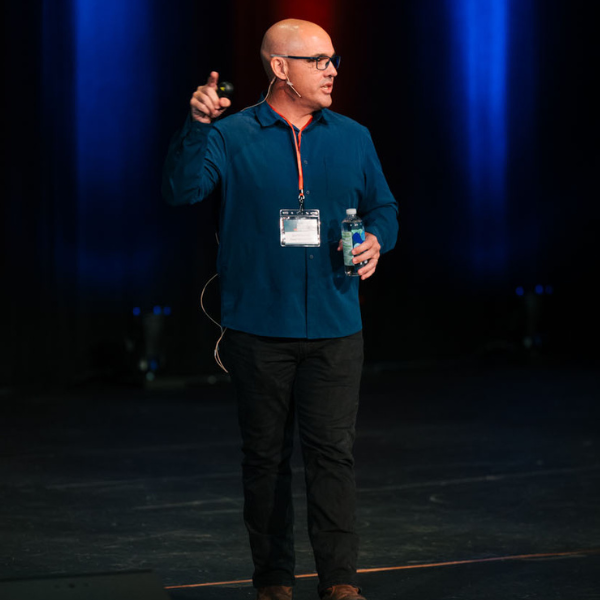
Joe McKenna
CloudWise Academy instructor
Joe McKenna is the founder and CEO of CloudWise Academy, where he teaches practical, beginner-friendly technology and AI skills connected to real work and everyday confidence.